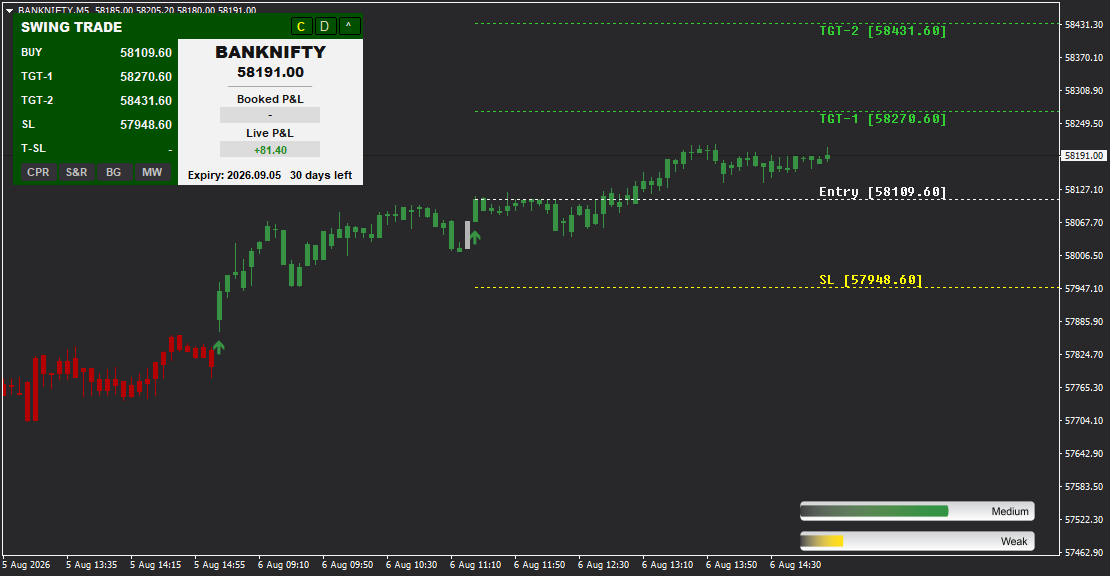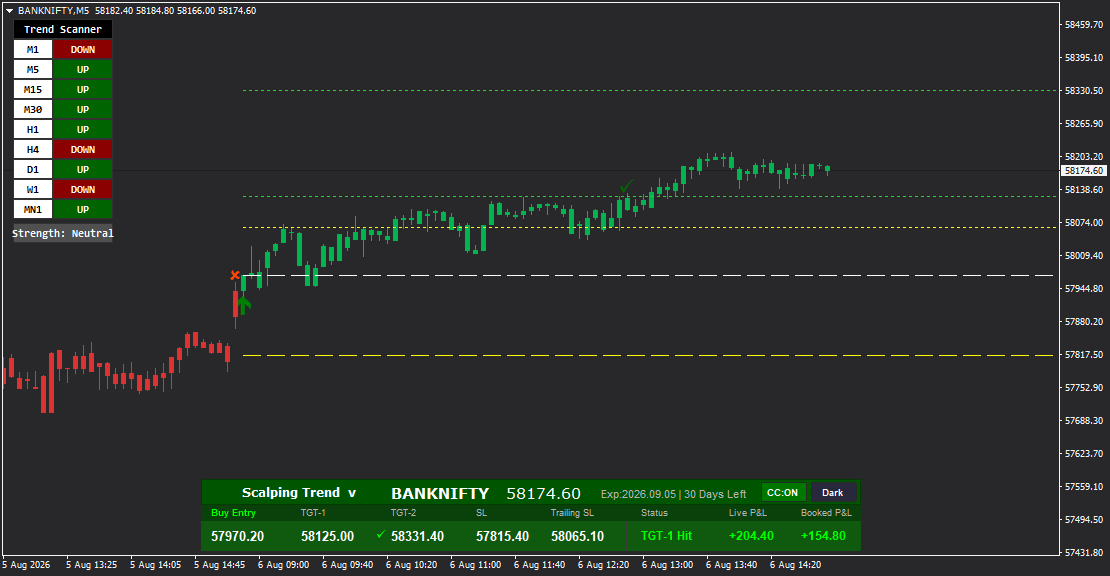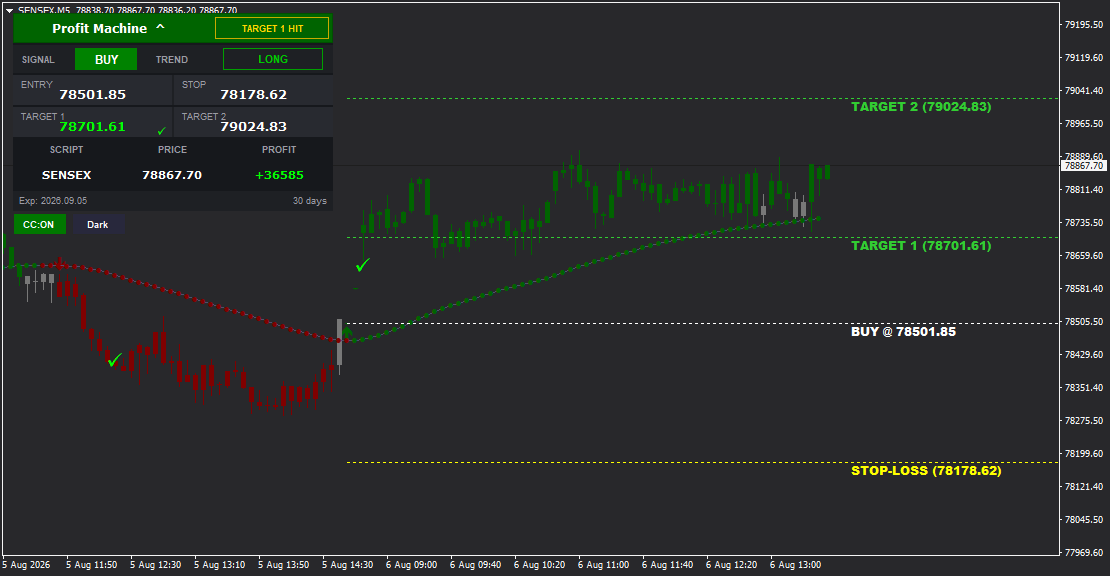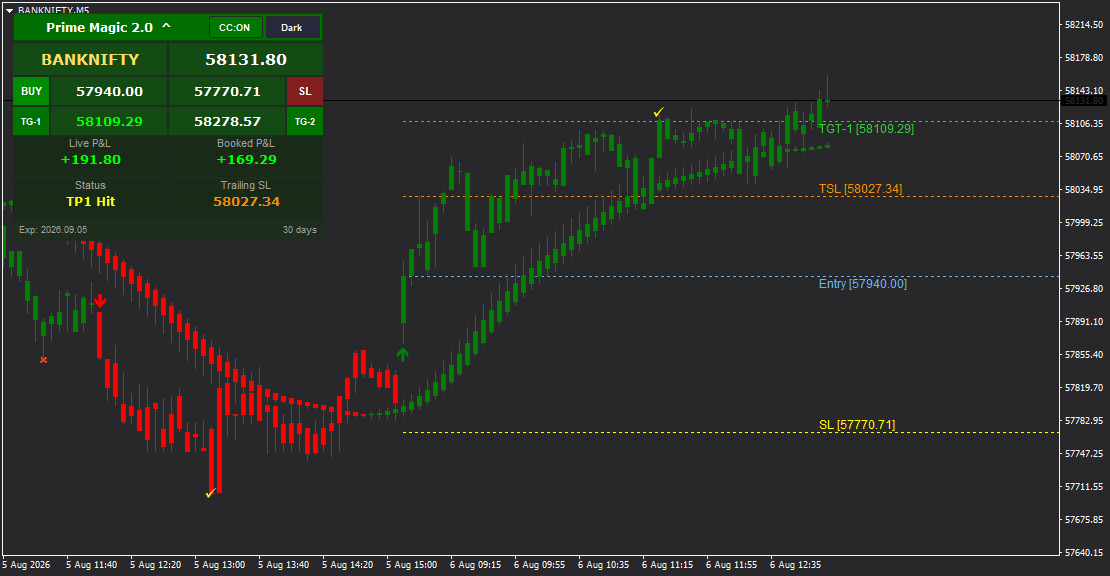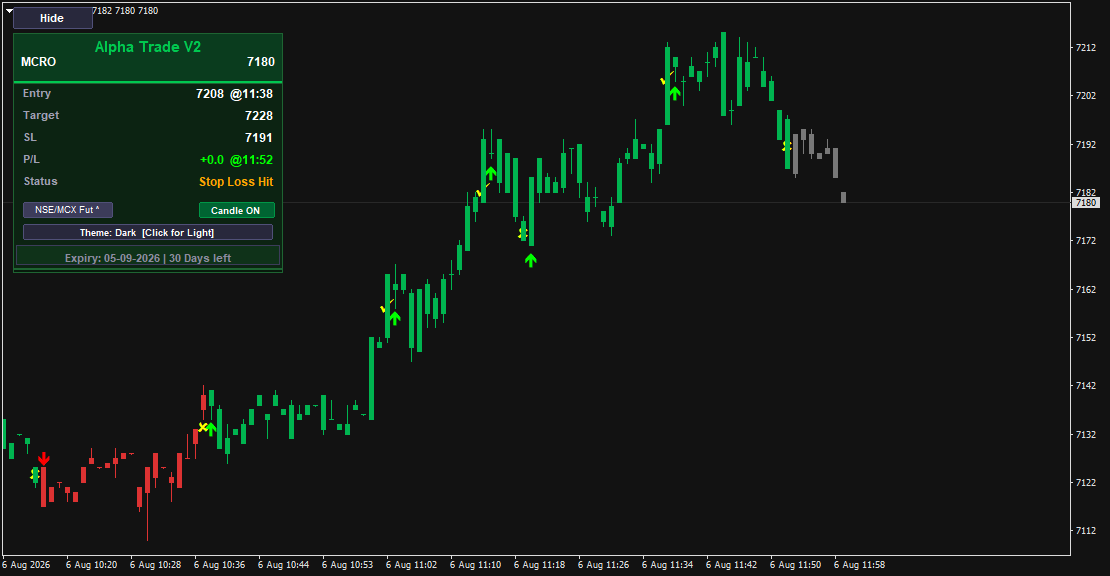

Alpha Trade V2 is a powerful multi-asset MT4 indicator designed for trading Stocks (NSE/MCX Futures, NSE Cash), Forex pairs, Cryptocurrencies (XAUUSD, BTCUSD), and Options. It delivers clear BUY and SELL signals with precise Entry Price, Target, and Stop Loss levels, real-time MT4 Data Feed P/L tracking with timestamps, trade status monitoring, customizable Light/Dark themes, color-coded candle display, and a built-in symbol selector for quick market switching. Perfect for traders who need one versatile indicator across multiple asset classes.
Alpha Trade V2 - Universal Signal System for Multi-Asset Trading
Our data feed integration ensures precision signal delivery across all trading pairs.
Alpha Trade V2 is a professional trading indicator for MetaTrader 4 that breaks the traditional single-market limitation. This leverages MT4 Data Feed for optimal performance. Whether you trade NSE/MCX futures, cash stocks, forex pairs like EURUSD, precious metals like Gold (XAUUSD), cryptocurrencies like Bitcoin (BTCUSD), or options contracts - Alpha Trade V2 delivers consistent, reliable BUY and SELL signals across all markets from a single dashboard.
With its intelligent symbol selector, you can quickly switch between different asset classes without changing charts or reloading the indicator. The clean, organized dashboard provides everything you need at a glance: entry price with timestamp, target level, stop loss, real-time profit/loss tracking, and trade status updates.
Key Features
Multi-Asset Symbol Selector
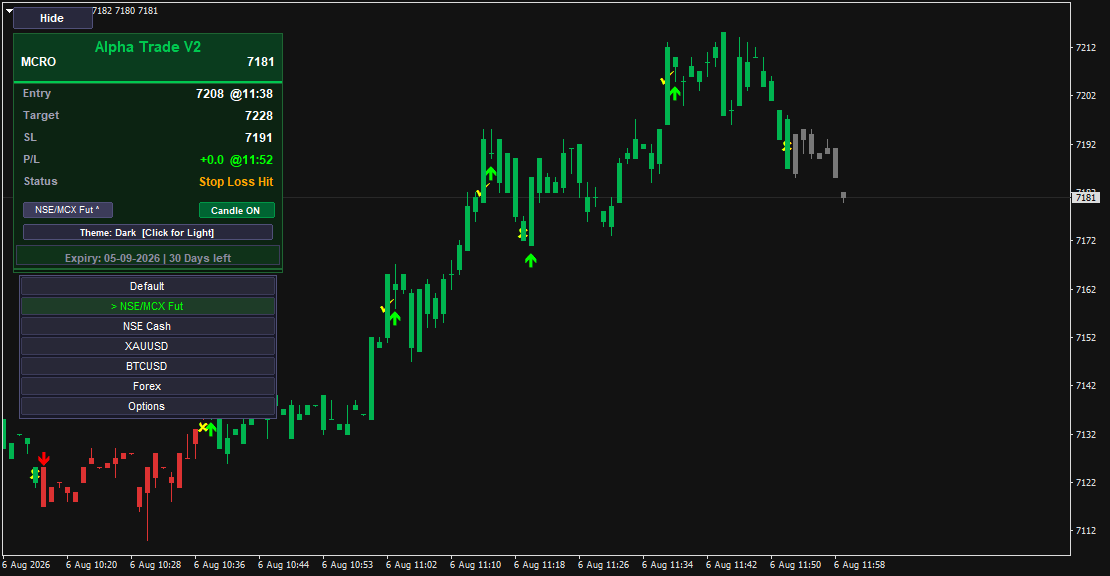
Alpha Trade V2 includes a built-in symbol selector dropdown with pre-configured market categories:
- NSE/MCX Fut - Indian futures (BANKNIFTY, NIFTY, MCRO, etc.)
- NSE Cash - Indian equity stocks
- XAUUSD - Gold spot/forex
- BTCUSD - Bitcoin cryptocurrency
- Forex - Major and minor currency pairs
- Options - Options contracts
- Default - Custom symbol input
Click the symbol selector button (e.g., "NSE/MCX Fut v") to expand the dropdown and choose your market. The indicator instantly adapts its calculations to the selected asset class, ensuring optimal signal generation for that specific market's characteristics.
Complete Trade Management
Every signal provides:
- Entry Price with Timestamp - Exact entry price and time (e.g., 7208 @11:38)
- Target - Single profit target optimized for the asset class
- SL (Stop Loss) - Protective stop loss level
- Clear Signal Arrows - Green upward arrows for BUY, red downward arrows for SELL
- Exit Markers - X marks on chart showing signal exits or stop hits
Real-Time P/L Tracking
The dashboard displays:
- P/L with Timestamp - Current profit/loss with time tracking (e.g., +0.0 @11:52)
- Live Updates - P/L updates in real time as the trade progresses
- Color-Coded Display - Green for profit, red for loss
Trade Status Monitor
Alpha Trade V2 keeps you informed with status updates:
- "Stop Loss Hit" (displayed in yellow/orange) - When SL is triggered
- "Target Hit" (displayed in green) - When target is reached
- "Active" - Trade is running
- Status Color Coding - Instant visual recognition of trade outcome
Visual Customization
Theme Toggle:
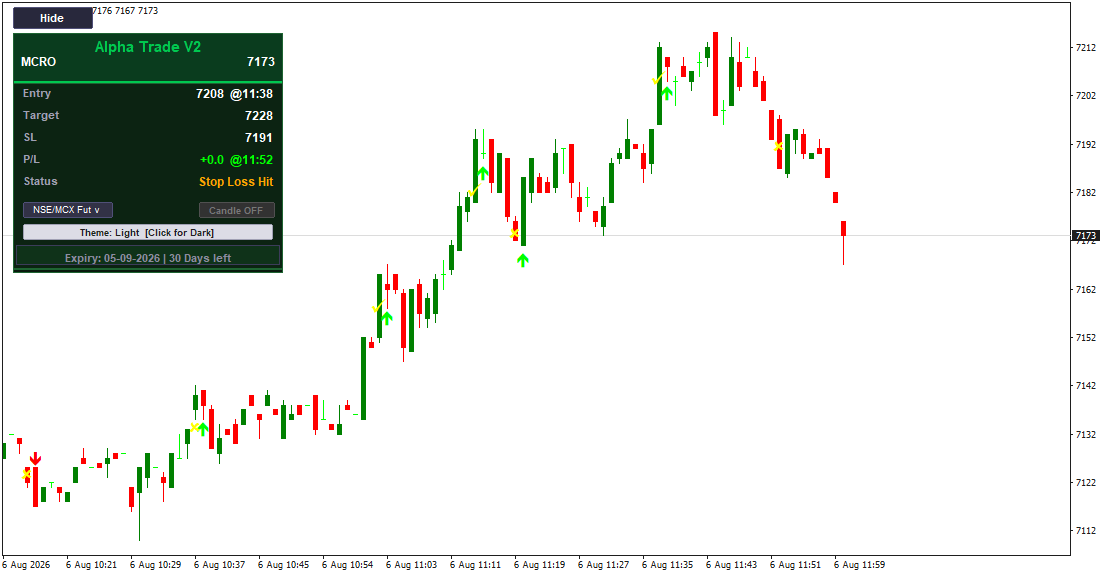
Switch instantly between Dark and Light chart backgrounds:
- Theme: Dark - Professional dark background, ideal for extended screen time
- Theme: Light - Clean white background, perfect for bright environments
- Interactive button shows "[Click for Light]" or "[Click for Dark]"
Candle Display Control:
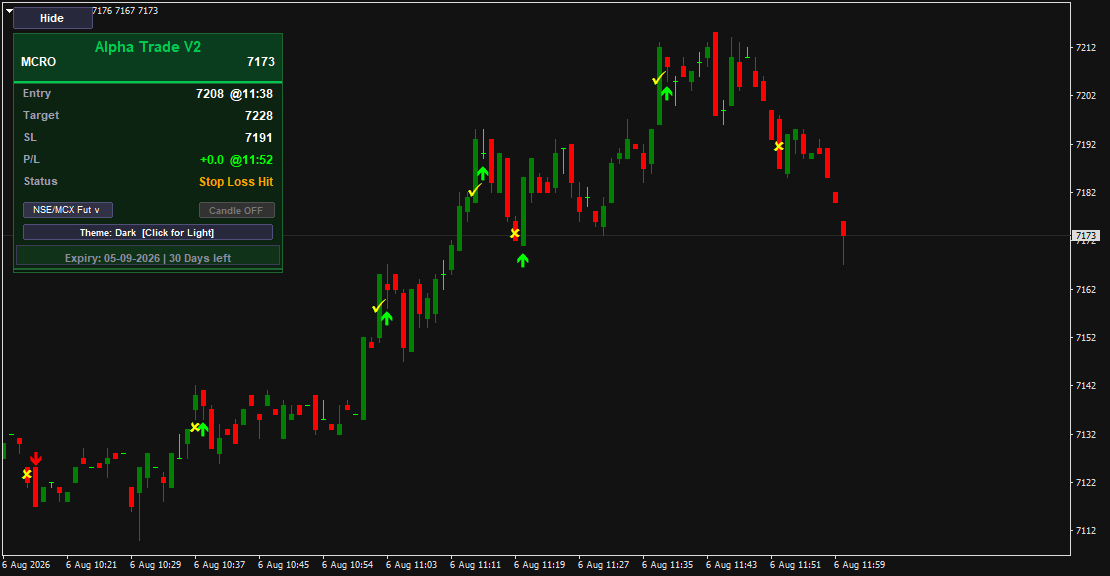
- Candle ON - Activates color-coded candles (green for BUY periods, red for SELL periods)
- Candle OFF - Returns to standard chart candle colors
- Green toggle button shows current state
Dashboard Control:
- Hide Button - Click to collapse the dashboard for clean chart presentation
- Symbol Display - Shows current instrument and live price at the top
- Expiry Tracker - License expiry display with countdown (e.g., "Expiry: 05-09-2026 | 30 Days left")
How It Works
Signal Generation:
Alpha Trade V2 analyzes price action, momentum, and market structure specific to each asset class. When a valid trading opportunity is detected, it generates a signal with entry, target, and stop loss levels automatically calculated based on the instrument's volatility and typical price movement.
Taking Trades:
1. Select your preferred asset class from the symbol selector dropdown
2. Wait for a BUY (green arrow) or SELL (red arrow) signal to appear
3. Enter the trade at the displayed Entry price with timestamp confirmation
4. Set your stop loss at the SL level shown on the dashboard
5. Target the displayed Target price
6. Monitor P/L and Status in real time as the trade develops
Exit Signals:
When it's time to exit, Alpha Trade V2 displays:
- An X marker on the chart candle
- Updated Status ("Stop Loss Hit" or "Target Hit")
- Final P/L with timestamp
Symbol Switching:
Click the symbol selector button to open the dropdown menu. Choose your market category (NSE/MCX Fut, Forex, XAUUSD, etc.), and the indicator instantly adapts. No need to remove and re-add the indicator or change charts.
Dashboard Layout
The Alpha Trade V2 dashboard is organized for maximum clarity:
Header:
- "Alpha Trade V2" branding in green
- Hide button for dashboard collapse
- Current price ticker
Symbol Section:
- Instrument name (e.g., MCRO)
- Live current price
Trade Information:
- Entry: Price and timestamp
- Target: Target price level
- SL: Stop loss price level
- P/L: Real-time profit/loss with timestamp
- Status: Trade outcome/state with color coding
Controls:
- Symbol Selector Button: Dropdown for asset class selection
- Candle ON/OFF Toggle: Green button for candle color control
- Theme Toggle: Bar showing current theme with click instruction
Footer:
- License expiry date and countdown
On-Chart Visual Elements
Signal Arrows:
- Green Upward Arrows (-) - BUY signal at entry candle
- Red Downward Arrows (-) - SELL signal at entry candle
- Arrows appear directly below (BUY) or above (SELL) the signal candle
Exit Markers:
- X Symbol - Marks the candle where signal ends (target hit, stop hit, or exit condition met)
- Helps identify exactly when and where trades closed
Color-Coded Candles (when Candle ON):
- Green Candles - During BUY signal periods
- Red Candles - During SELL signal periods
- Provides instant visual confirmation of signal direction
Multi-Asset Optimization
What makes Alpha Trade V2 unique is its ability to adapt to different asset classes:
For Futures (NSE/MCX Fut):
- Optimized for high volatility and leverage
- Targets and stops calibrated for typical futures movement
- Ideal for intraday futures trading
For Cash Stocks (NSE Cash):
- Adapted for equity stock characteristics
- Conservative targets suitable for cash market
- Works on both intraday and positional timeframes
For Forex (XAUUSD, BTCUSD, Currency Pairs):
- Accounts for 24-hour market dynamics
- Pip/point calculations adjusted for forex standards
- Works across major, minor, and exotic pairs
For Cryptocurrencies:
- Handles extreme volatility of crypto markets
- Wider stops and targets for Bitcoin, Ethereum, etc.
- Adapts to rapid price swings
For Options:
- Specialized calculations for options contracts
- Accounts for time decay and premium movement
- Suitable for both buying and selling strategies
The indicator automatically detects the asset class from your symbol selection and adjusts its internal calculations accordingly.
Trading Approach
Intraday Strategy:
1. Select your preferred market from the symbol selector
2. Apply Alpha Trade V2 to M5, M15, or M30 timeframe
3. Trade signals as they appear throughout the session
4. Monitor P/L and Status for real-time trade updates
5. Exit at target or when X marker appears
Positional Strategy:
1. Use higher timeframes (H1, H4, D1) for swing trading
2. Select your asset class (Forex, Stocks, etc.)
3. Take signals with a longer holding perspective
4. Manage positions using the displayed Target and SL levels
5. Track performance via the P/L timestamp feature
Multi-Market Strategy:
1. Open multiple charts for different markets (e.g., BANKNIFTY futures, EURUSD forex)
2. Apply Alpha Trade V2 to each chart with appropriate symbol selection
3. Trade signals across multiple asset classes simultaneously
4. Diversify risk across different markets
5. Use the symbol selector to quickly monitor different instruments
Visual Themes
Dark Theme (Default):
- Black chart background
- Green dashboard panel
- Optimized for low-light environments and extended trading sessions
- Reduces eye strain during long screen time
- Professional trading aesthetic
Light Theme:
- White/light chart background
- Adjusted dashboard colors for contrast
- Perfect for bright offices or daytime trading
- Clean, modern appearance
- Ideal for presentations and screen sharing
Switch between themes with a single click on the theme toggle bar - no need to restart the indicator or reload the chart.
Color-Coded Status System
Alpha Trade V2 uses intelligent color coding for instant visual recognition:
Trade Status Colors:
- Green - Positive outcome (Target Hit, profit)
- Yellow/Orange - Stop Loss Hit, trade closed at stop
- Red - Loss or negative P/L
Dashboard Elements:
- Green - Active signals, BUY direction, profitable trades
- Red - SELL direction, losses
- White/Gray - Neutral information (entry, target, SL prices)
Chart Candles (when enabled):
- Green - BUY signal period
- Red - SELL signal period
- Standard colors - When Candle OFF
This color system creates visual harmony across the interface and helps you maintain awareness of your trading state at all times.
Why Choose Alpha Trade V2?
For Multi-Market Traders:
Trade stocks, forex, crypto, and options from one indicator. No need for separate tools for each market. The symbol selector and adaptive calculations make switching markets seamless.
For Busy Traders:
The complete trade setup (Entry with timestamp, Target, SL) is provided. Just follow the signals. Real-time P/L tracking and status updates keep you informed without constant monitoring.
For Visual Traders:
Clear arrows, color-coded candles, exit markers, and Light/Dark themes ensure your charts always look exactly how you want. The dashboard is clean and uncluttered.
For Organized Traders:
Timestamp tracking on entry and P/L helps you maintain accurate trading journals. Know exactly when each signal appeared and when P/L was recorded.
For Flexible Traders:
Works on all timeframes from M1 to D1. Use it for scalping, day trading, or swing trading based on your preference and schedule.
Technical Specifications
- Platform: MetaTrader 4 (MT4)
- Version: Alpha Trade V2
- Asset Classes: Stocks (NSE/MCX Futures, NSE Cash), Forex, Cryptocurrencies, Options
- Symbol Selector: Built-in dropdown with 7 categories (Default, NSE/MCX Fut, NSE Cash, XAUUSD, BTCUSD, Forex, Options)
- Timeframes: All (M1, M5, M15, M30, H1, H4, D1, W1)
- Signal Components: Entry with Timestamp, Target, Stop Loss
- Visual Controls: Hide dashboard, Theme toggle (Dark/Light), Candle ON/OFF
- Performance Tracking: Real-time P/L with timestamp, Trade status monitoring
- Visual Elements: Signal arrows, exit markers (X), color-coded candles, status color coding
- Dashboard: Collapsible, multi-asset symbol selector, expiry tracker
- Themes: Dark (default) and Light
- Repainting: No (all signals are final and permanent)
Package Includes
- Alpha Trade V2 MT4 Indicator (.ex4 file)
- Installation Guide (PDF)
- User Manual - Complete System Guide (PDF)
- Multi-Asset Trading Guide (PDF)
- Symbol Selector Quick Reference (PDF)
- Video Tutorial - Setup & Configuration
- Video Tutorial - Trading with Alpha Trade V2
- Video Tutorial - Multi-Market Strategy
- Video Tutorial - Using the Symbol Selector
- Lifetime License (Single Account)
- Free Updates for 1 Year
- Email Support
Trade Across All Markets with One Indicator
Alpha Trade V2 eliminates the complexity of managing multiple indicators for different markets. Whether you're trading Indian futures, forex pairs, gold, Bitcoin, or options - you have one consistent, reliable signal system with complete trade management.
Clear signals. Precise levels. Real-time tracking. Multi-asset flexibility. All in one professional package.
Start trading smarter across all markets today with Alpha Trade V2.
========================================
FEATURE HIGHLIGHTS (Bullet Points)
========================================
- Multi-Asset Symbol Selector - Trade Stocks, Forex, Crypto, and Options from one indicator
- 7 Pre-Configured Market Categories - NSE/MCX Fut, NSE Cash, XAUUSD, BTCUSD, Forex, Options, Default
- Complete Trade Setup - Entry with Timestamp, Target, and Stop Loss for every signal
- Real-Time P/L Tracking - Live profit/loss display with timestamp
- Trade Status Monitor - Color-coded status (Stop Loss Hit, Target Hit, Active)
- Clear Signal Arrows - Green for BUY, red for SELL
- Exit Markers - X symbols showing exact exit points on chart
- Light/Dark Theme Toggle - Switch chart background instantly
- Color Candle Control - Candle ON/OFF button for colored candle display
- Collapsible Dashboard - Hide button for clean chart presentation
- Timestamp Tracking - Entry and P/L timestamps for accurate record-keeping
- Adaptive Calculations - Automatically adjusts to selected asset class characteristics
- Quick Market Switching - Change markets via dropdown without reloading indicator
- License Expiry Tracker - Countdown display for subscription management
- Universal Timeframe Support - Works on all timeframes from M1 to D1
- Color-Coded Status System - Green for profit, yellow/orange for SL hit
- No Repainting - Signals are final and permanent
========================================
RECOMMENDED TRADING APPROACH
========================================
Single-Market Focus:
1. Select your preferred market (e.g., NSE/MCX Fut for futures trading)
2. Apply to your chosen timeframe (M5/M15 for intraday, H1/D1 for positional)
3. Trade every signal that appears
4. Use the Entry timestamp to log trades accurately
5. Exit at Target or when Status shows "Stop Loss Hit"
Multi-Market Diversification:
1. Open 3-4 charts with different markets (e.g., BANKNIFTY futures, EURUSD, XAUUSD, BTCUSD)
2. Apply Alpha Trade V2 to each chart with appropriate symbol selection
3. Take signals across all markets to diversify risk
4. Monitor P/L on each dashboard independently
5. This approach spreads risk across uncorrelated assets
Conservative Approach:
- Only trade signals during high-volume periods (market open, major sessions)
- Use higher timeframes (H1, H4) for cleaner signals
- Exit at first Target hit, don't hold for extended moves
- Always respect the displayed Stop Loss level
Aggressive Approach:
- Trade all signals on lower timeframes (M5, M15)
- Multiple markets simultaneously
- Quick entries and exits based on Status updates
- Use the Candle color coding for additional confirmation
========================================
SYMBOL SELECTOR GUIDE
========================================
How to Use the Symbol Selector:
1. Click the symbol selector button (shows current category like "NSE/MCX Fut v")
2. Dropdown expands showing all 7 categories
3. Click your preferred category:
- Default: For custom symbol input
- NSE/MCX Fut: Indian futures (BANKNIFTY, NIFTY, CRUDEOIL, MCRO, etc.)
- NSE Cash: Indian equity stocks (RELIANCE, TCS, INFY, etc.)
- XAUUSD: Gold spot trading
- BTCUSD: Bitcoin cryptocurrency
- Forex: Currency pairs (EURUSD, GBPUSD, USDJPY, etc.)
- Options: Options contracts (calls, puts)
4. Indicator automatically adapts to the selected market's characteristics
5. Trade signals appear optimized for that specific asset class
Benefits:
- No need to remove and re-add indicator when switching markets
- Calculations automatically adjust to each asset class
- Consistent signal methodology across all markets
- Quick switching for traders who monitor multiple instruments
========================================
VISUAL CONTROL GUIDE
========================================
Theme Toggle:
- Default: Dark theme (black background)
- Click the theme bar where it says "[Click for Light]"
- Chart switches to light theme (white background)
- Click again to return to dark theme
- Use cases: Dark for night trading, Light for daytime or presentations
Candle Control:
- Candle ON (green button): Enables color-coded candles
- Green candles during BUY signals
- Red candles during SELL signals
- Candle OFF (gray button): Standard chart candle colors
- Toggle freely without affecting signal generation
Hide Dashboard:
- Click "Hide" button at top of dashboard
- Dashboard collapses to minimal label
- Click again to expand back to full view
- Perfect for: Clean chart screenshots, presentations, maximum chart space.